
Archive for September, 2008

WebKit passing Acid3

WebKit passing Acid3

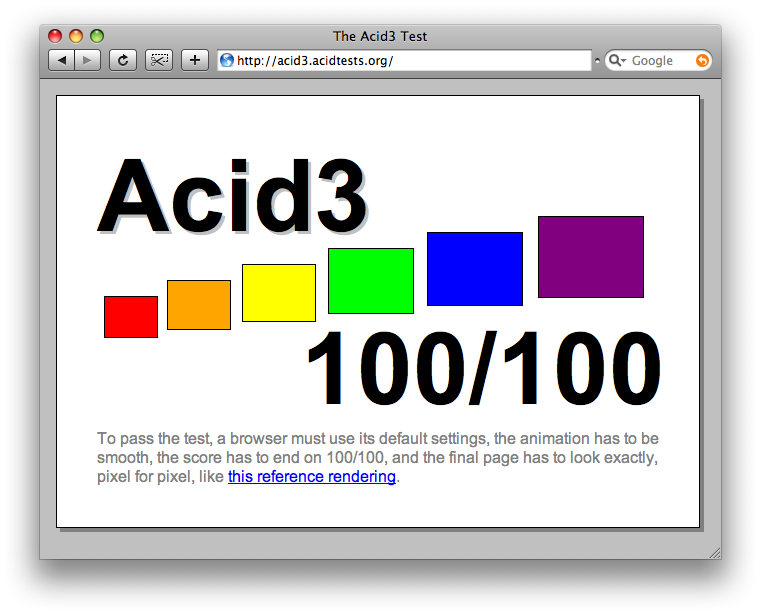
The WebKit development team has just passed another huge milestone. The WebKit browser engine used in Apple’s Safari and Google’s Chrome now fully passes the Acid3 test.

The Acid3 test checks how well browsers comply with the latest standards, in particular JavaScript and the Document Object Model (DOM).

Maciej Stachowiak of the WebKit team attributes this feat to “recent speedups in JavaScript, DOM and rendering.”

Unfortunately, it will be a few months before we see this in Safari and Chrome, but while you wait you can download a nightly build of WebKit and test this for yourself.
Just days after the release of Firefox 3.0.2, Mozilla has released Firefox 3.0.3. The new release fixes a single bug that stopped some users from accessing their stored usernames and passwords.

The bug itself was discovered within 24 hours of the previous release, and was patched much quicker than expected.

You can read the full bug details on the Bugzilla site. The patch should automatically be rolled out to Firefox 3 users, or alternatively you can download it using the link below.

Download Firefox 3.0.3

Mozilla has just updated both Firefox 2 and 3. Both releases are security fixes, patching critical security vulnerabilities.

A full list of changes can be found in the both the Firefox 2 and Firefox 3 security advisories.

Most users should find the new versions are pushed out to them automatically, or alternatively you can download the new releases from Mozilla.

Download Firefox 2.0.0.17
Download Firefox 3.0.2

Chromium on Linux

Chromium on Linux

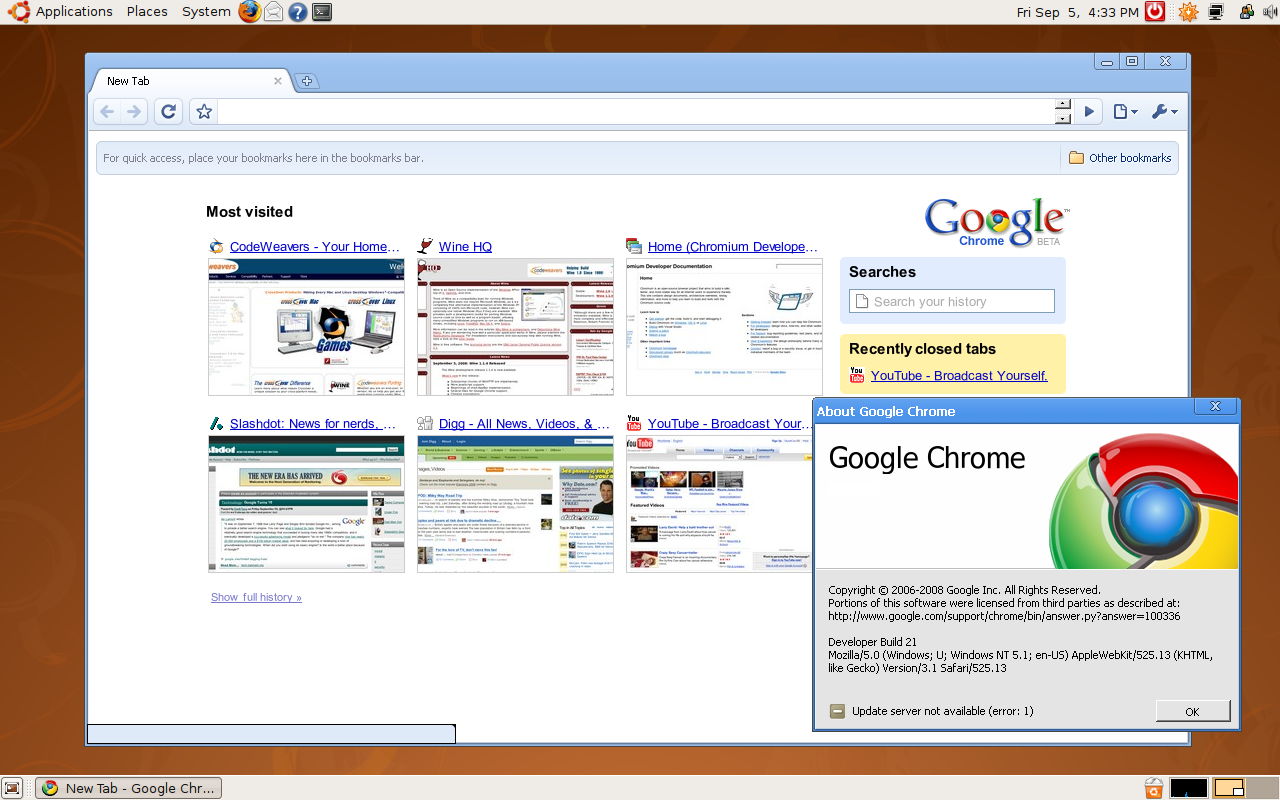
Thanks to the CrossOver Chromium project, it is now possible to download Google Chrome for Mac OS X and Linux.

The Chromium project is an open source effort, built using the same code as Chrome and “aims to build a safer, faster, and more stable way for all Internet users to experience the web“.

At this stage, the browser does not run nativly on systems other than Windows, but the Chromium project has been made possible thanks to the CodeWeavers’ Wine development expertise.

You can download the CrossOver Chromium browser from the website or the links below:

Mac OS X
Ubuntu and Debian (32bit)
Ubuntu and Debian (64bit)

Google Chrome Go Green Theme

Google Chrome Go Green Theme

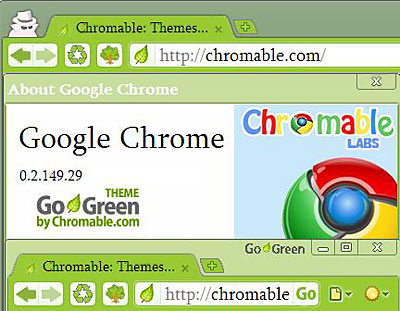
In less than two weeks since Google Chrome was released, die-hard fans and users are already customising the browser. ChromeSpots Google Chrome Themes forum has plenty of themes to choose from already.

Theme’s resembling Apple’s Safari, to Mozilla’s Firefox, and even deviantART have all been created.

Once you download a theme you will need to install it. The install path is as follows:

Windows Vista
C:\Users\[user]\AppData\Local\Google\Chrome\Application\[current version]\Themes\

Windows XP
C:\Documents and Settings\[user]\Local Settings\Application Data\Google\Chrome\Application\[current version]\Themes\

To install the theme simply copy the default.dll you have just downloaded to the above directory. I strongly suggest that you backup your current default.dll file before doing this. Unfortunately, for the time being, there is no way to manage multiple themes. However, this is definitely a promising start form theme developers. I look forward to seeing what’s to come.

Edit 2: Real full screen mode is available in the latest release of Google Chrome. You simply need to press F11.

Edit: For clarification – there is no full-screen mode in Google Chrome yet. This simply opens the browser maximized.

One thing that many users may find frustrating is that Google Chrome opens in window mode. Thankfully there is a simple fix for this. By editing the Google Chrome shortcut, you simply need to add the -start-maximized parameter to the end of the shortcut line.

Your new shortcut line should look something like this:

C:\Users\[user]\AppData\Local\Google\Chrome\Application\chrome.exe -start-maximized

Problem solved! Chrome will now open in full-screen mode.

ExitReality has today released a plugin that allows users to surf the web in 3D. This will allow surfers the chance to walk through their favourite websites as if they were playing a computer game.

The 3.5MB plugin will turn any normal website into a compelling virtual room.

The idea from ExitReality’s founder Danny Stefanic has been in development for 13 years.

Mr Stefanic says “It is the entire web in 3D – making 40 billion virtual worlds – and it will instantly transform 2D content into 3D“.

Flickr can be turned into a virtual art gallery, while YouTube can be turned into a virtual cinema. It’s second life for every day people.

Currently, the browser plugin only works on Windows and is compatible with both Internet Explorer and Firefox. The plugin can be downloaded from the ExitReality website.

Google has just opened up Chrome’s dev channel. The dev channel gives early access to new features and bug fixes. Google promises to release Chrome updates to the dev channel frequently, providing webmasters the ability to test their sites and script with the latest version of the Chrome browser.

Google does warn however that dev channel releases are prone to be less stable than their Beta cousins released on the main Google Chrome website.

To subscribe to the dev channel, you simply need to download and install the Google Chrome Channel Chooser. Full details and installation instructions can be found on the dev channel website.

Tags: , , , Categories: Chrome Comments Off

Google has just released a new version of their Gears project which now has support for OS X and Safari.

Google Gears “is an open source project that enables more powerful web applications, by adding new features to your web browser“.

With Gears, web applications can naturally interact with your desktop, JavaScript performance is increased, and you can store data locally in a fully search-able database.

Gears-enabled websites include Google Docs, WordPress an YouTube Video Uploader.

A full run down on new features can be found in the Google Gears Blog, and you can download a copy of Google Gears from http://gears.google.com/.

Tags: , , , , Categories: Safari Comments Off

Opera has released a beta version of its next generation web browser. The browser includes some fancy new features, including Link It. Link It allows you to synchronise searches and typed history across multiple computers. You can read a full list of changes in their changelogs.

Included in the release is a new version of Opera Mail. You can download the new beta software from the Opera Software website. Happy testing!

Tags: , , , , Categories: Opera Comments Off